

Download Hard Disk Validator – hard drive scan, disk health check, data protection, hardware error detection, Windows utility
Overview
Hard Disk Validator is a Windows-based utility designed to assess the physical health of a computer’s hard drive by identifying potential hardware errors. The app serves as a diagnostic tool for users concerned about data integrity and long-term storage reliability. By scanning for anomalies across the drive’s sectors, it helps prevent data loss by detecting early signs of failure before they escalate into critical issues. This makes it particularly valuable for individuals and professionals who rely on their storage devices for important files, backups, or system operations. The developer, Hard Disk Validator, has focused on creating a straightforward yet effective solution for system maintenance, targeting users who want to monitor their drive health without needing advanced technical knowledge. The application is especially useful in scenarios where sudden drive failure could disrupt workflows, compromise sensitive information, or lead to irreversible data loss. While the developer did not provide additional technical details about the underlying algorithms or scanning methodology, the app’s core purpose remains clear: proactive hardware diagnostics. In the broader ecosystem of system utilities, Hard Disk Validator fills a niche by offering a dedicated, lightweight tool for disk health monitoring. Its free availability further enhances accessibility, making it a practical choice for both casual users and IT professionals seeking a quick diagnostic check.Key Features & Functionality
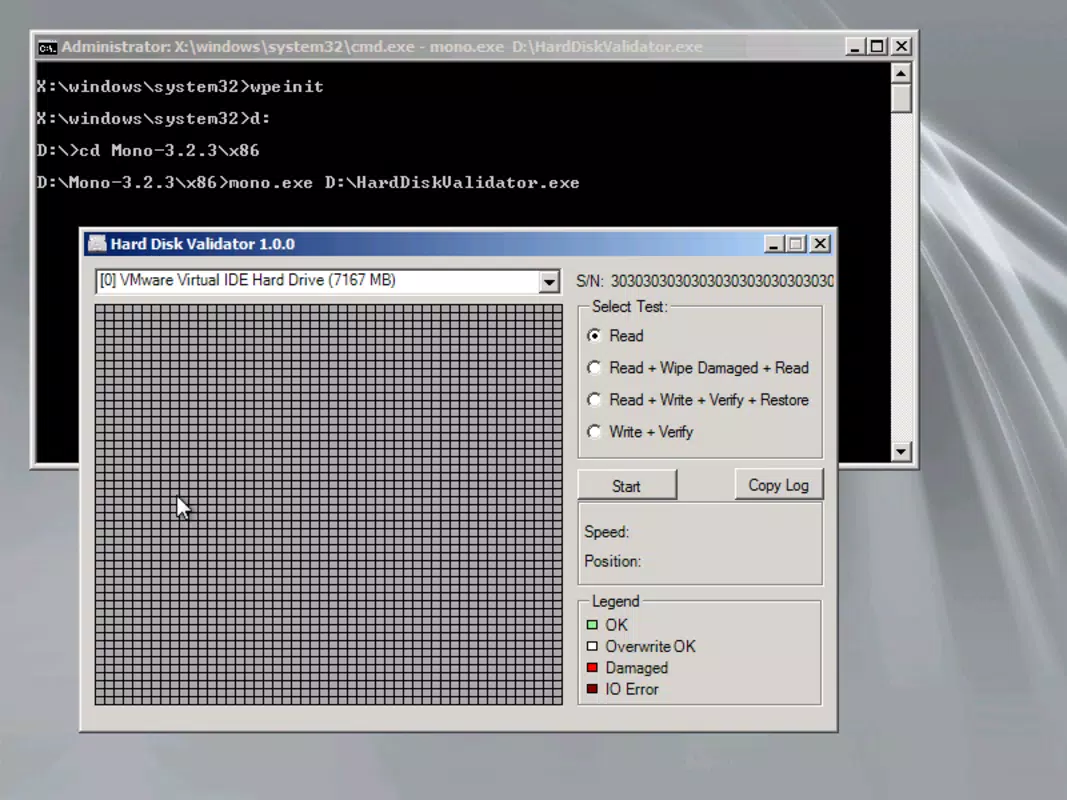
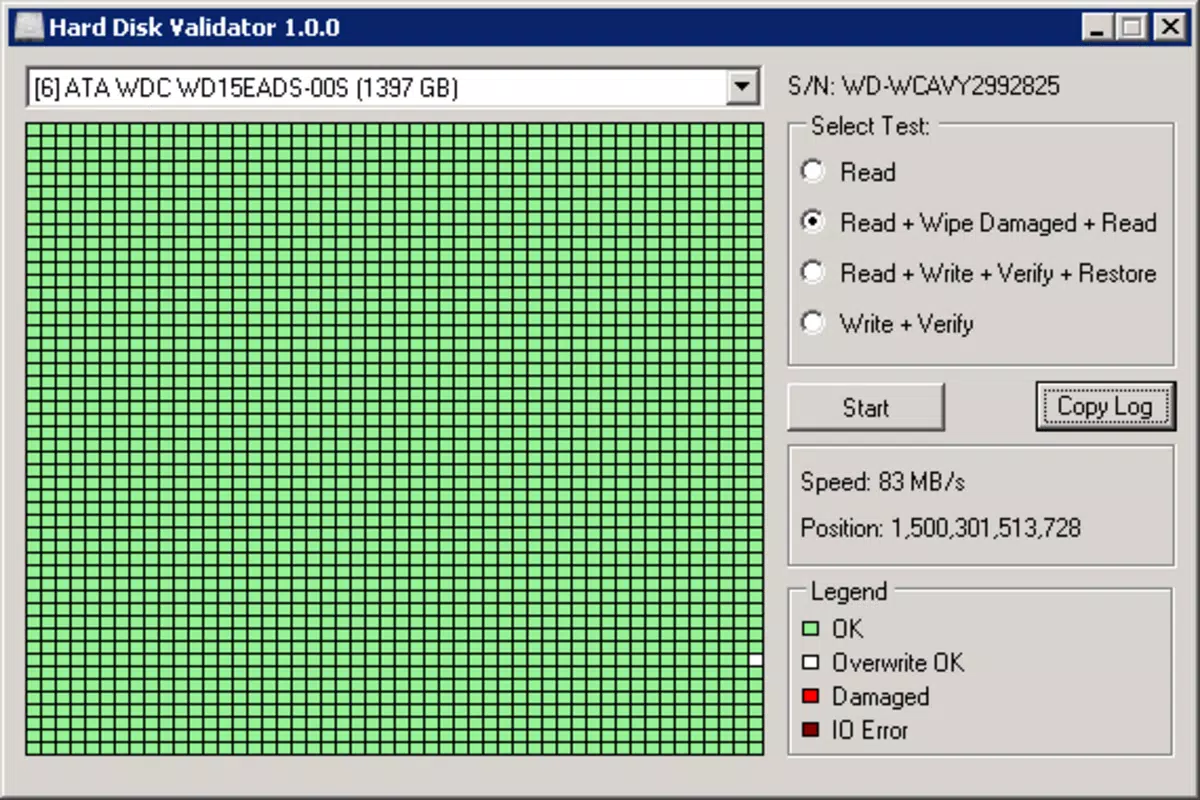
Hard Disk Validator delivers a focused set of diagnostic capabilities centered on hard drive integrity. The app offers four distinct scanning modes, each tailored to different levels of thoroughness—ranging from rapid sector checks to comprehensive deep scans. These options allow users to balance speed and depth based on their needs, whether performing a routine check or investigating suspected drive instability. A standout feature is the visual representation of the hard drive’s physical layout using a grid of small boxes. This layout maps out the drive’s sectors, enabling users to perceive spatial patterns in drive health. Each section is color-coded: green for healthy areas, red or brown for sectors with detected issues. This visual feedback simplifies interpretation, allowing users to quickly identify problematic regions without needing to parse raw technical data. The color-coded system acts as an intuitive early warning mechanism, highlighting areas that may require attention. The app also emphasizes data protection by helping users detect and address hardware errors before they result in file corruption or loss. This proactive approach supports long-term data preservation, especially for users storing irreplaceable documents, media, or system backups. The interface is designed for ease of use, with minimal navigation complexity and clear on-screen prompts. While the developer did not list specific technical requirements or advanced customization options, the app’s functionality remains effective for its intended purpose—monitoring disk health through accessible diagnostics.Interface, UX & Performance
The user interface of Hard Disk Validator is designed with simplicity and clarity in mind. It presents a clean, minimal layout centered around a grid-based visual display of the hard drive’s sectors. Navigation is straightforward, with scan initiation and mode selection accessible through clearly labeled buttons. The absence of clutter or redundant elements enhances usability, particularly for non-technical users. The visual representation uses consistent color coding—green for healthy sectors, red or brown for problematic ones—ensuring immediate recognition of drive status. This design choice supports intuitive understanding, reducing the learning curve for new users. Although the developer did not list formal performance metrics, the app’s lightweight footprint of 4.5 MB suggests efficient resource usage. It is expected to run smoothly on a wide range of Windows systems, including those with limited processing power or older hardware. The app responds promptly to user input, with scan initiation and results display occurring without noticeable delays. Stability appears to be maintained during typical usage, though no information was provided about crash rates or memory leaks. The application does not require background processes or system-level permissions beyond standard access to storage devices. Responsiveness across different screen sizes and resolutions has not been specified, but the interface’s static grid layout likely adapts well to various display configurations. Overall, the UX prioritizes function over flair, delivering a reliable and predictable experience.Platform Compatibility & Technical Requirements
Hard Disk Validator is designed for the Windows operating system. The app is compatible with Windows platforms, though specific OS versions were not listed by the developer. The software version is 1.0.0, indicating a stable initial release. The file size is 4.5 MB, which is compact and suitable for quick downloads and installations. The developer did not specify minimum OS requirements, nor did they provide information about processor architecture or RAM needs. Compatibility with older Windows versions such as Windows 7 or 8.1, as well as newer releases like Windows 10 or 11, remains unconfirmed. The app is available at no cost, making it accessible to a broad user base. Installation is likely straightforward, involving a standard executable file. No additional runtime dependencies or third-party libraries were mentioned. While the developer did not disclose details about updates or future development plans, the app’s current state suggests a focused, functional release. Users should ensure their system meets general Windows compatibility standards, though no formal requirements were provided.Pros and Cons
- Lightweight at only 4.5 MB, ensuring fast installation and minimal system impact
- Intuitive visual interface with color-coded sector representation for easy interpretation
- Offers four scanning modes for flexible diagnostics, from quick checks to in-depth analysis
- Free to download and use, enhancing accessibility for all users
- Focuses on proactive data protection by detecting hardware errors early
- Developer did not provide detailed technical specifications or OS compatibility information
- Only available for Windows, limiting cross-platform use
- No visible update history or changelog provided
- Interface lacks advanced customization or exportable reports
- Does not support SSDs or non-physical drives, though this was not explicitly stated
FAQ
Is Hard Disk Validator safe to use?
Yes, the app is designed to scan hard drives without modifying data. It operates as a diagnostic tool and does not alter or delete files during the scanning process.
Can I use Hard Disk Validator on SSDs?
The developer did not specify whether the app supports SSDs. It is primarily designed for traditional hard drives, but compatibility with solid-state drives cannot be confirmed.
Does Hard Disk Validator require admin privileges?
While not explicitly stated, scanning disk sectors typically requires elevated access. It is recommended to run the app as an administrator to ensure full functionality.
How often should I run a hard drive scan?
Regular checks are advised—once every few months for routine maintenance. Users experiencing drive issues or storing critical data should scan more frequently.
Is Hard Disk Validator available for macOS or Linux?
No, the app is currently only available for Windows. There is no information about future releases for other operating systems.


